Enabling PMs from 2,700+ companies to easily maintain metrics and improve user sharing

I redesigned Amplitude’s dashboard sharing flow so PMs could invite teammates, share links, and manage permissions more reliably, increasing share conversion by 13% and contributing to 4% WAU growth.

Impact

13% increase in share conversion rates and 66.3% task completion rate for Enterprise power users, that contributed to a 4% growth in Weekly Active Users (WAU).

Company

Amplitude

Duration

6 weeks

Team

1 PM, 1 SWE

Problem
60% opened the share modal but did not share

45% copied the URL instead of sharing directly

12% used the share modal directly

60% opened the share modal but did not share

45% copied the URL instead of sharing directly

12% used the share modal directly

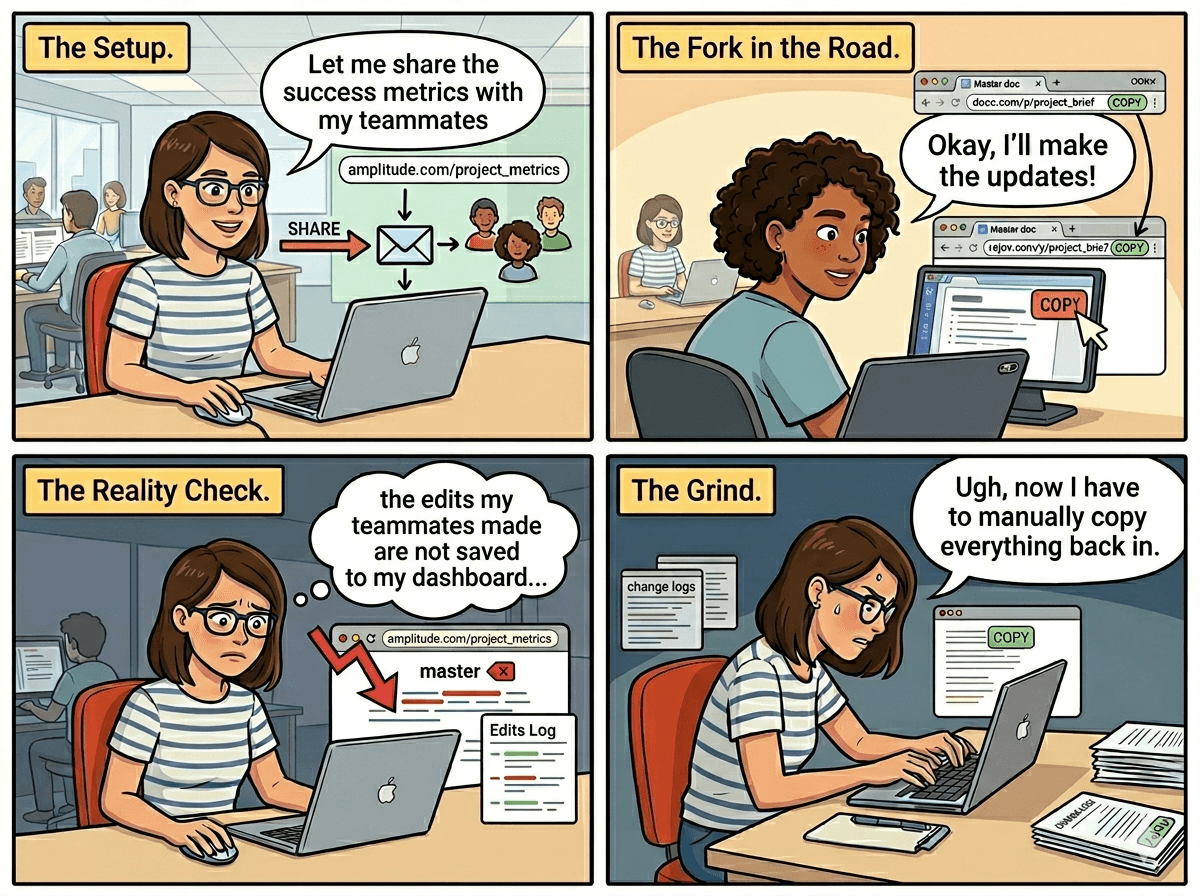
When users didn’t share dashboards properly, collaborators’ edits weren’t saved, frustrating doc owners and blocking collaboration. I focused on reducing sharing confusion so teams could collaborate with confidence and see Amplitude as a workspace worth returning to.

When users didn’t share dashboards properly, collaborators’ edits weren’t saved, frustrating doc owners and blocking collaboration. I focused on reducing sharing confusion so teams could collaborate with confidence and see Amplitude as a workspace worth returning to.

Goal

Increase direct dashboard sharing by making invite, link, embed, and permission workflows easier to understand across owner and non-owner states.

Increase direct dashboard sharing by making invite, link, embed, and permission workflows easier to understand across owner and non-owner states.

Risky assumptions

  • Users were falling back to copying URLs because the share modal was confusing.

  • Sharing intent differed by task: invite someone, share a link, or embed a dashboard.

  • Owner and non-owner permissions needed to feel predictable, not arbitrary.

Risky assumptions

  • Users were falling back to copying URLs because the share modal was confusing.

  • Sharing intent differed by task: invite someone, share a link, or embed a dashboard.

  • Owner and non-owner permissions needed to feel predictable, not arbitrary.

Metrics

  1. User activity: more users complete direct sharing

  2. User retention: more repeat sharing and dashboard collaboration

  3. User conversion: more users choose direct share over copy URL

Metrics

  1. User activity: more users complete direct sharing

  2. User retention: more repeat sharing and dashboard collaboration

  3. User conversion: more users choose direct share over copy URL

Central question: Is having a tab-like layout or a linear layout better in balancing out scalability vs form? And how should this differ for owners vs non-owners?

Central question: Is having a tab-like layout or a linear layout better in balancing out scalability vs form? And how should this differ for owners vs non-owners?

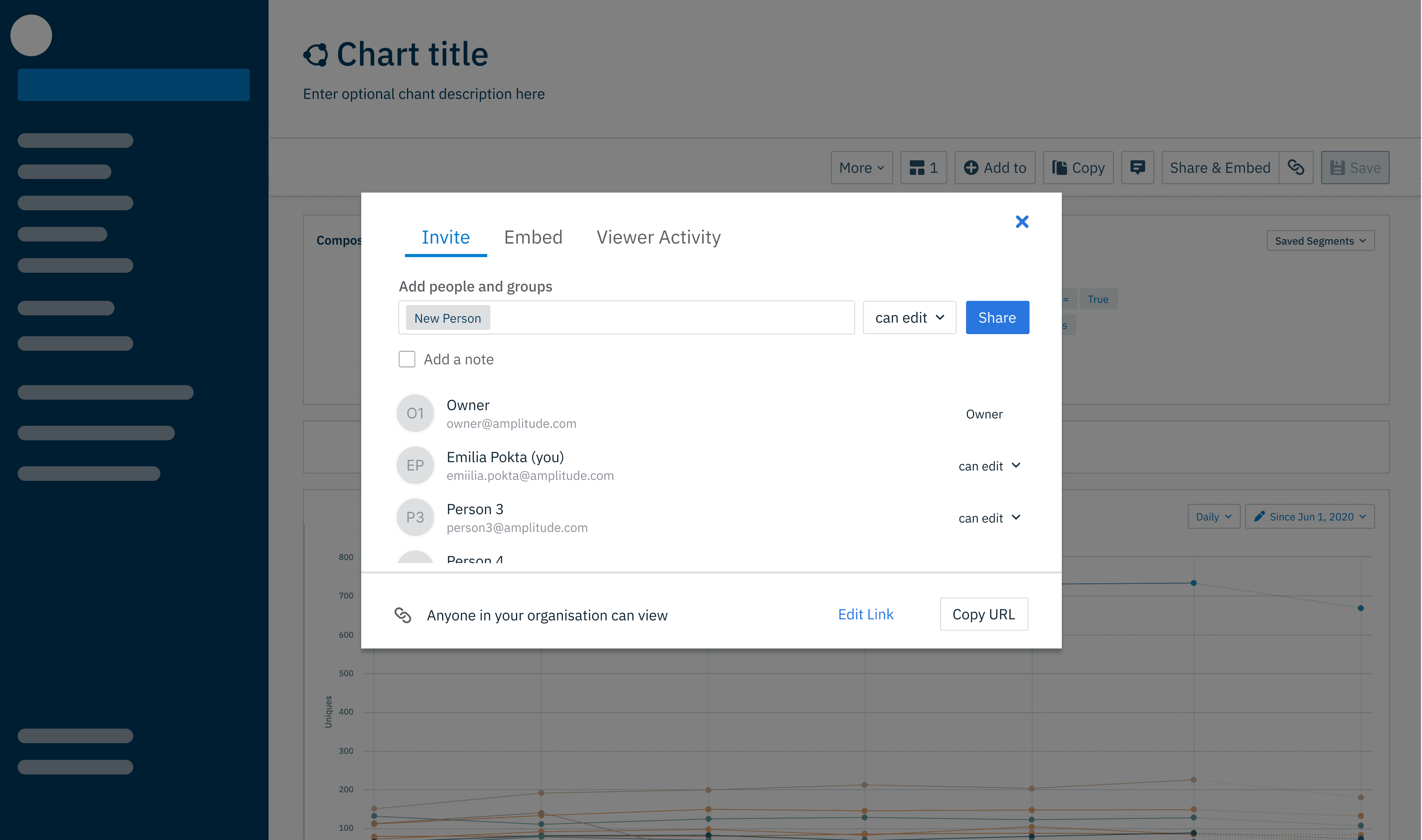
Recommended direction: tabbed sharing model

Recommended direction: tabbed sharing model

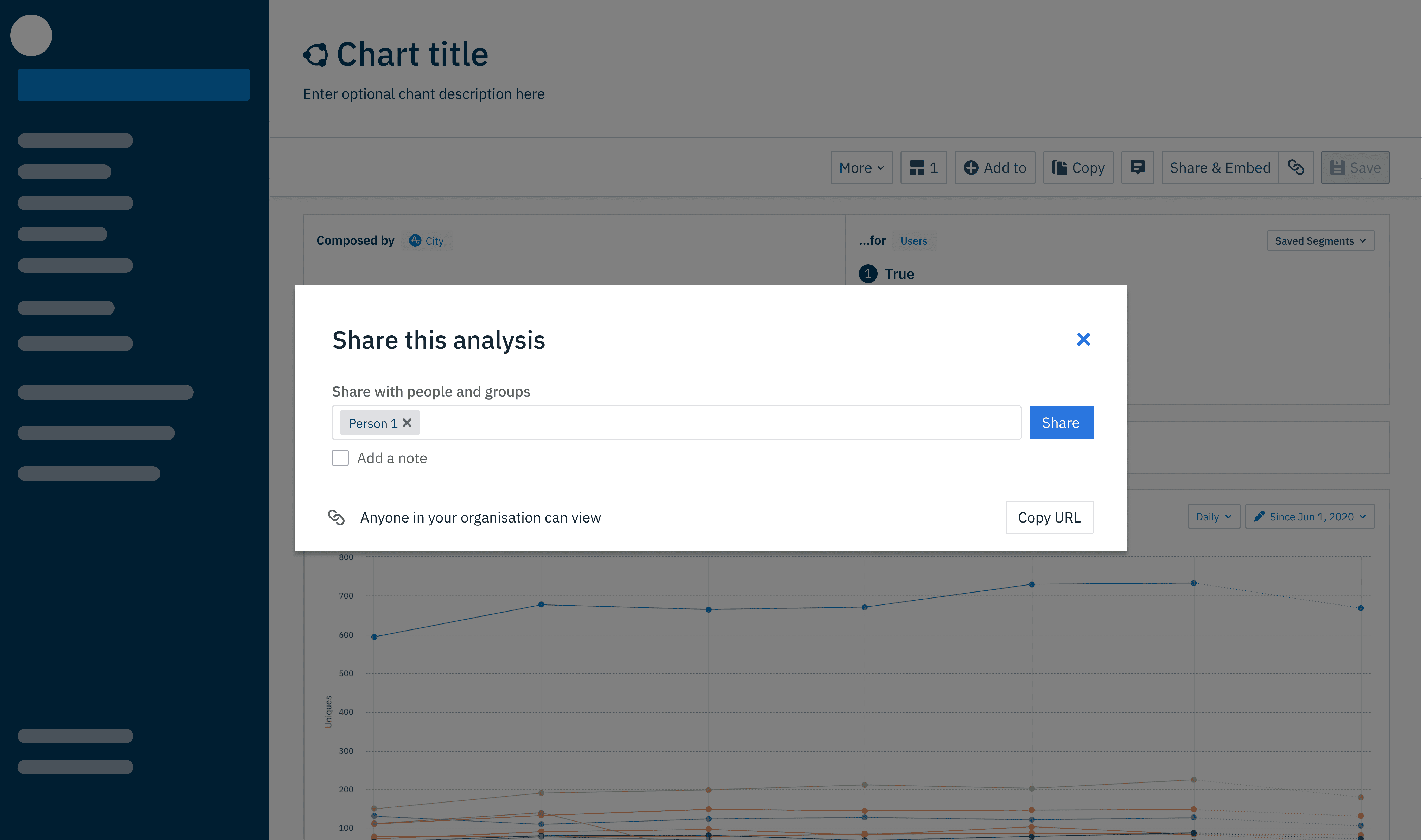
Alternative direction: linear sharing model

Alternative direction: linear sharing model

I recommended the tabbed model because it took slightly more implementation effort but created a clearer, more scalable information architecture for future sharing actions.

Results

Displaying different sharing actions in tabs is more intuitive for users as user intentions are very different and they desire different customization accordingly

Displaying different sharing actions in tabs is more intuitive for users as user intentions are very different and they desire different customization accordingly

Separating sharing actions into tabs proved more intuitive, because user intentions differ — someone inviting a teammate wants something different from someone embedding a dashboard.

Separating sharing actions into tabs proved more intuitive, because user intentions differ — someone inviting a teammate wants something different from someone embedding a dashboard.

Whilst using a different layout for non-owners/owners, it keeps similar sharing patterns as users understand why being an owner allows for more features

Whilst using a different layout for non-owners/owners, it keeps similar sharing patterns as users understand why being an owner allows for more features

Owners have more capabilities

Non-owners can only add invite more viewers

Surfacing "copy URL" separately at the bottom matched both market research and our core model of the share link as the primary way to share, whilst other capabilities like adding . Keeping similar patterns across owner and non-owner views meant users intuitively understood why ownership unlocked more capability, rather than feeling arbitrarily restricted.

Surfacing "copy URL" separately at the bottom matched both market research and our core model of the share link as the primary way to share, whilst other capabilities like adding . Keeping similar patterns across owner and non-owner views meant users intuitively understood why ownership unlocked more capability, rather than feeling arbitrarily restricted.

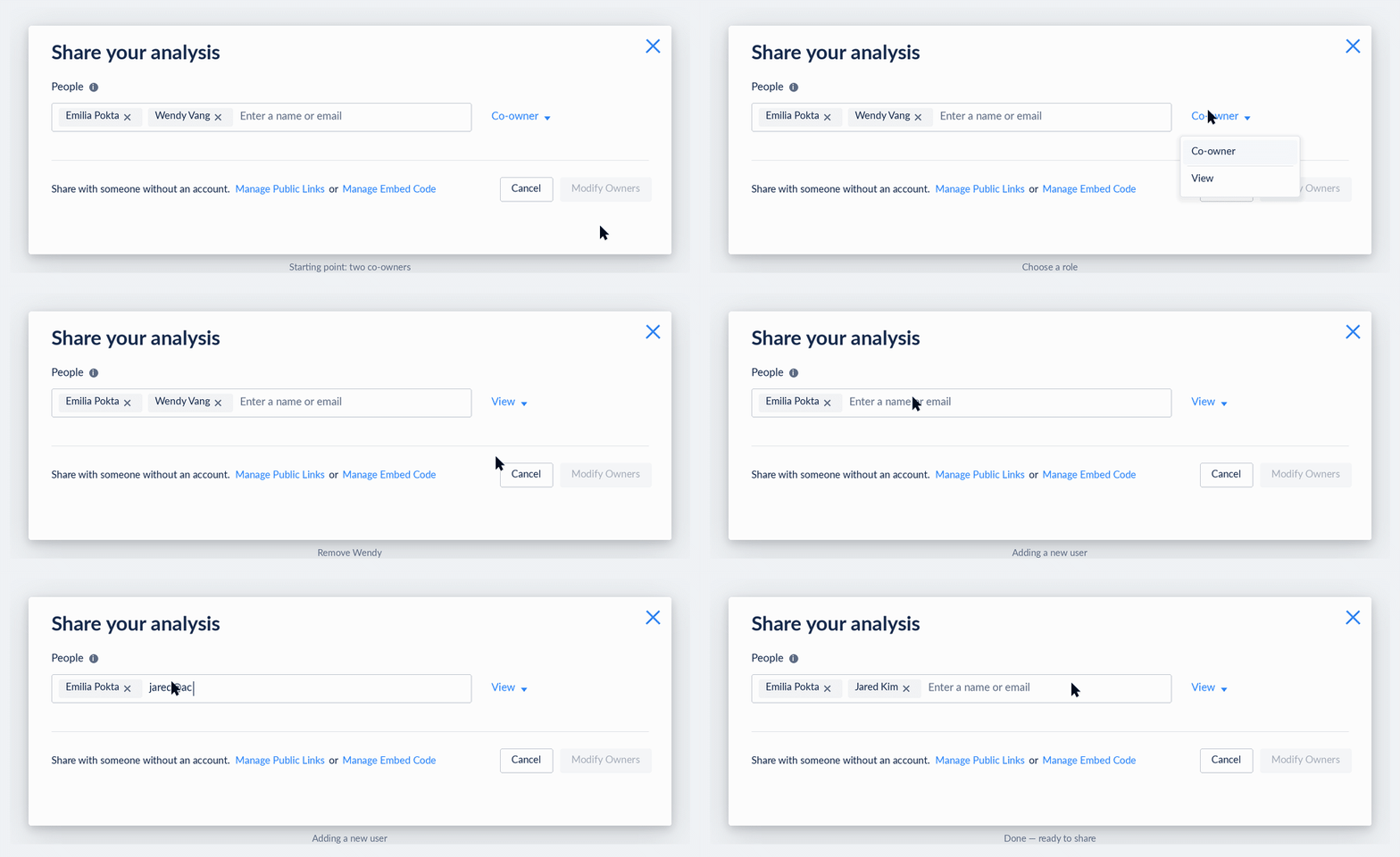
Addressing edge cases - public vs private links, saved vs unsaved dashboards
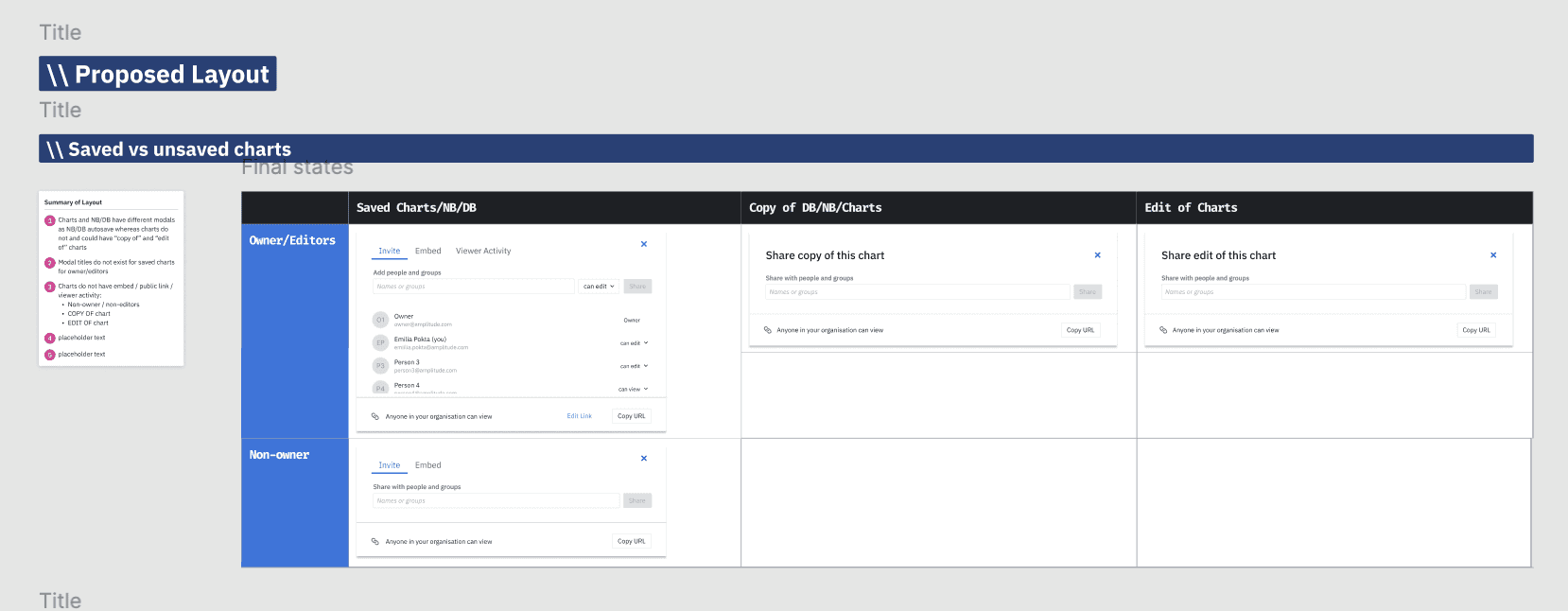
I laid out edge cases and different scenarios for handoff. more details to be found at this Figma page.

Let's work together-

Reach out and let's chat!

Let's work together-

Reach out and let's chat!