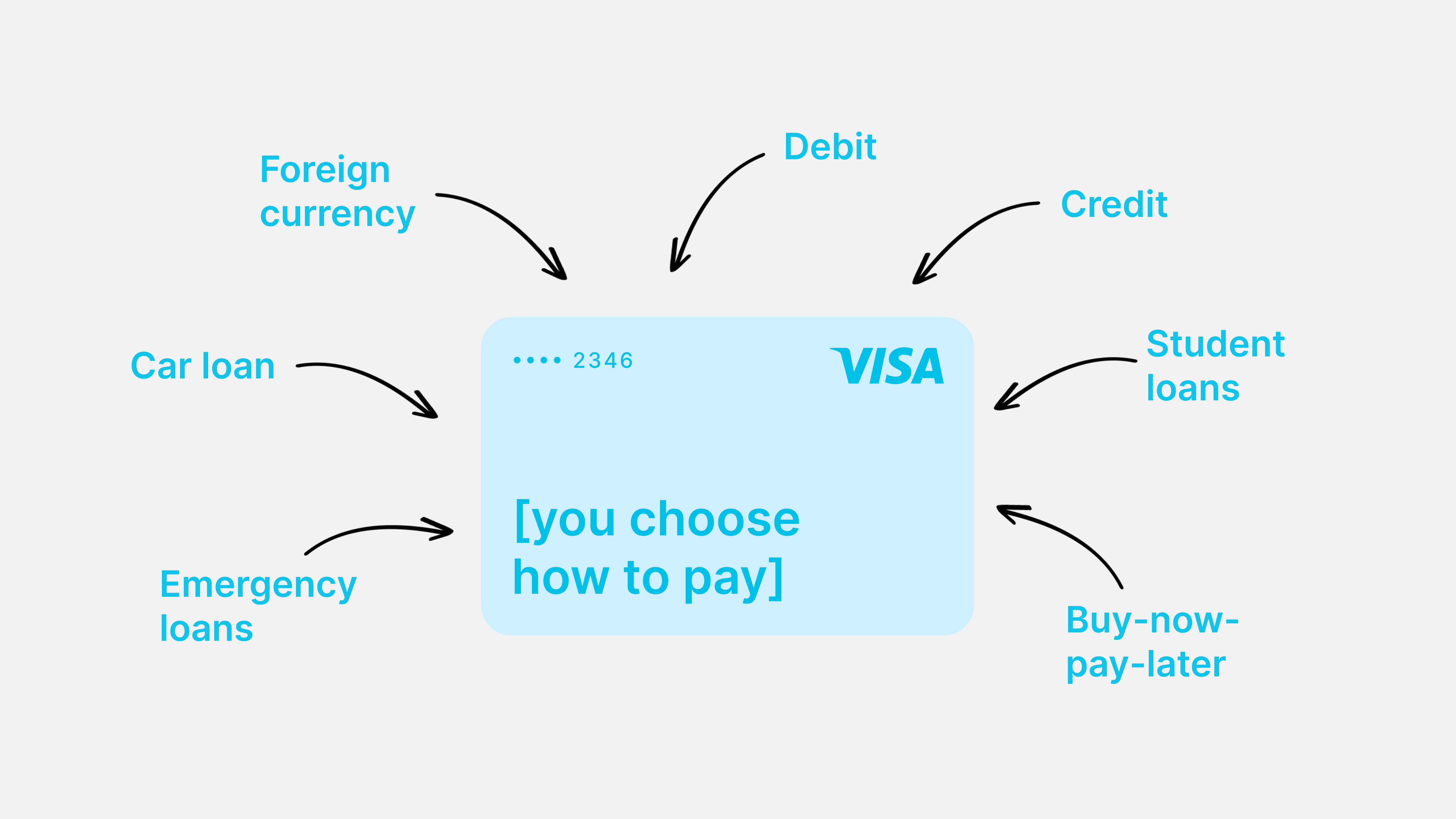
One physical card that switches between debit and credit modes via a mobile app — no new card number, no waiting, no separate application
One physical card that switches between debit and credit modes via a mobile app — no new card number, no waiting, no separate application
Impact
This is lucrative for Visa as a business as we can sell these solutions to banks as an API(B2B), who then implement it for end users (B2C). While banks are able to offer more loans, Visa benefits from increased transaction volumes from increased spending power
Company
UI/UX Designer
Duration
22 weeks
Team
5 PMs, 2 designers
Background
Problem
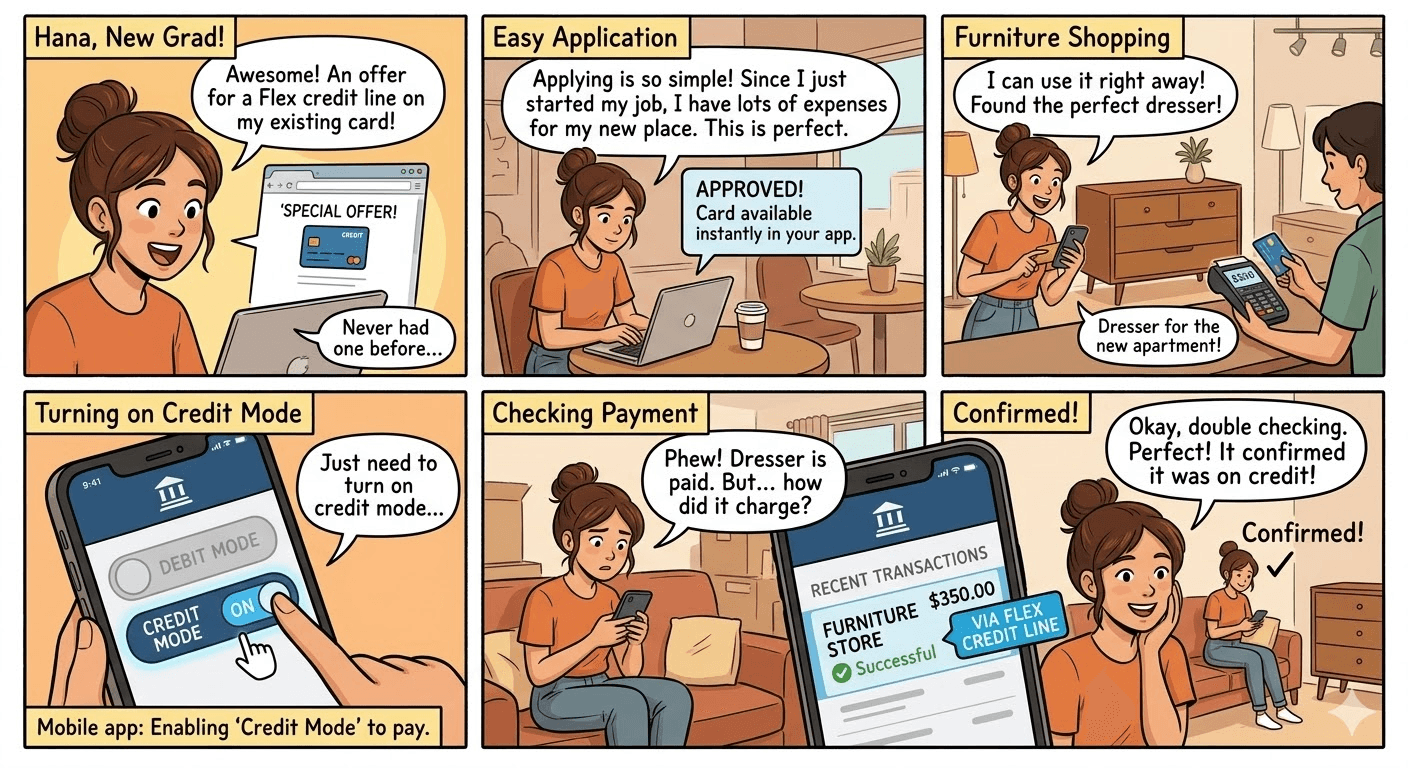
This is lucrative for Visa as a business as we can sell these solutions to banks as an API(B2B), who then implement it for end users (B2C). While banks are able to offer more loans, Visa benefits from increased transaction volumes from increased spending power
Goal
One card, 2 spending modes - controlled from your mobile app
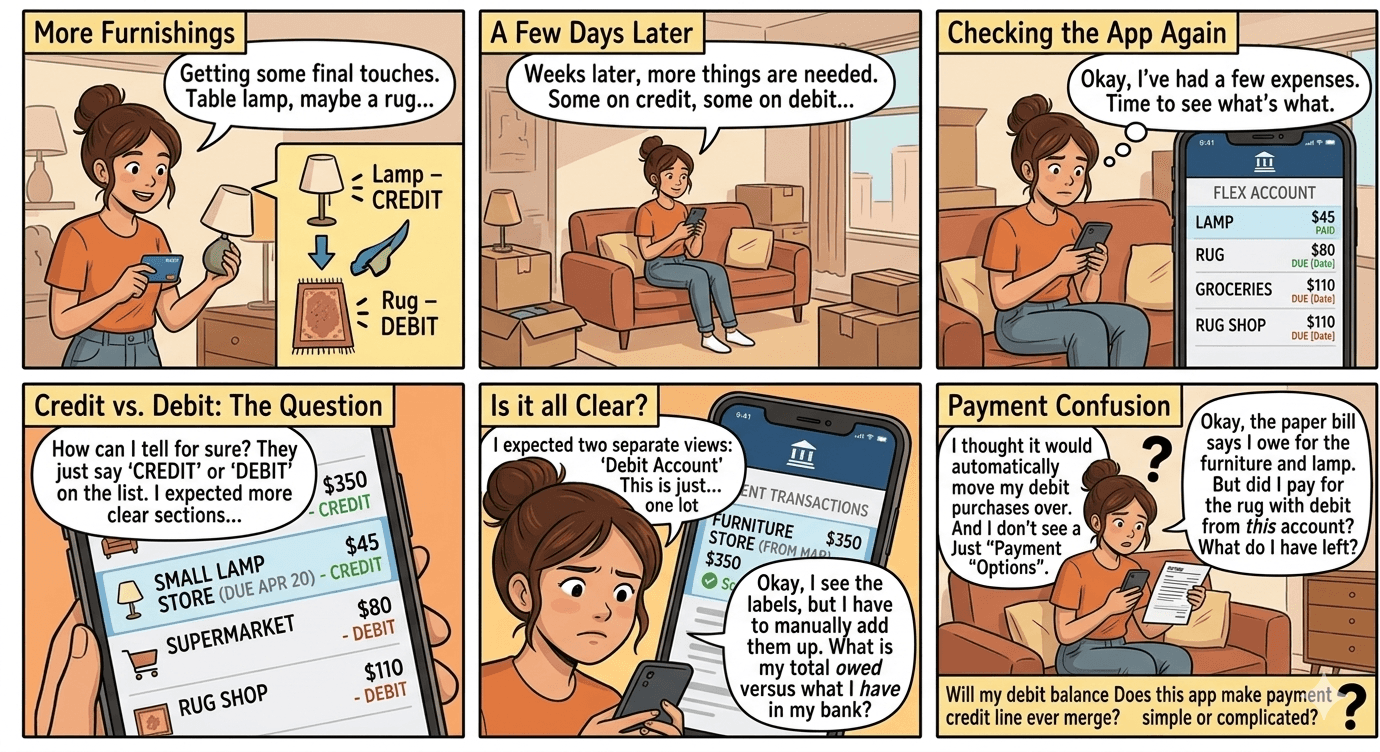
Because this concept is done through a mobile app where users can switch between credit mode or debit mode of one card- the goal is to understand and design how users should read their transactions after making multiple credit and debit transactions on the same card.
Central question: Should credit and debit transactions be displayed together or separately in the mobile banking app?
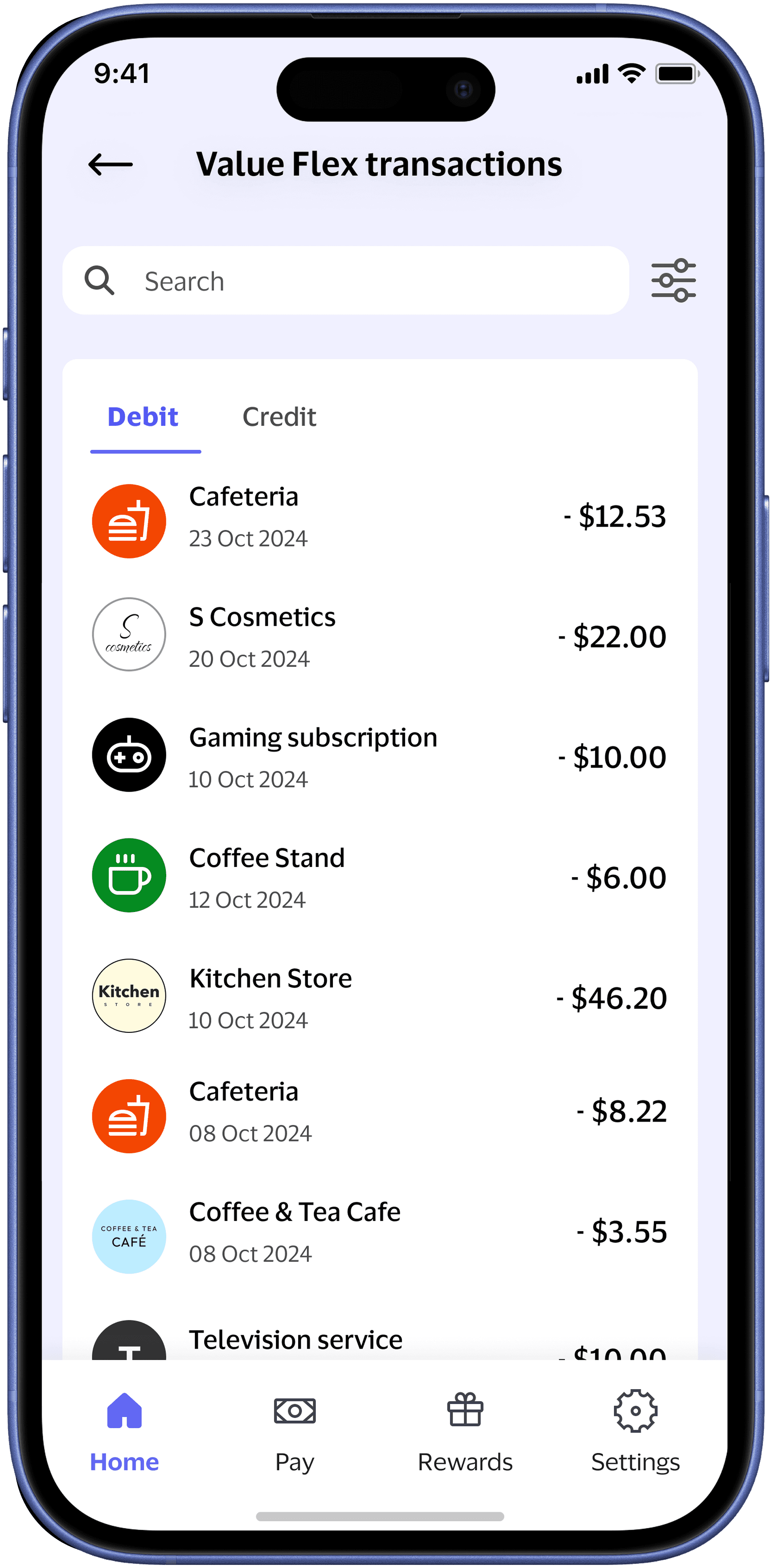
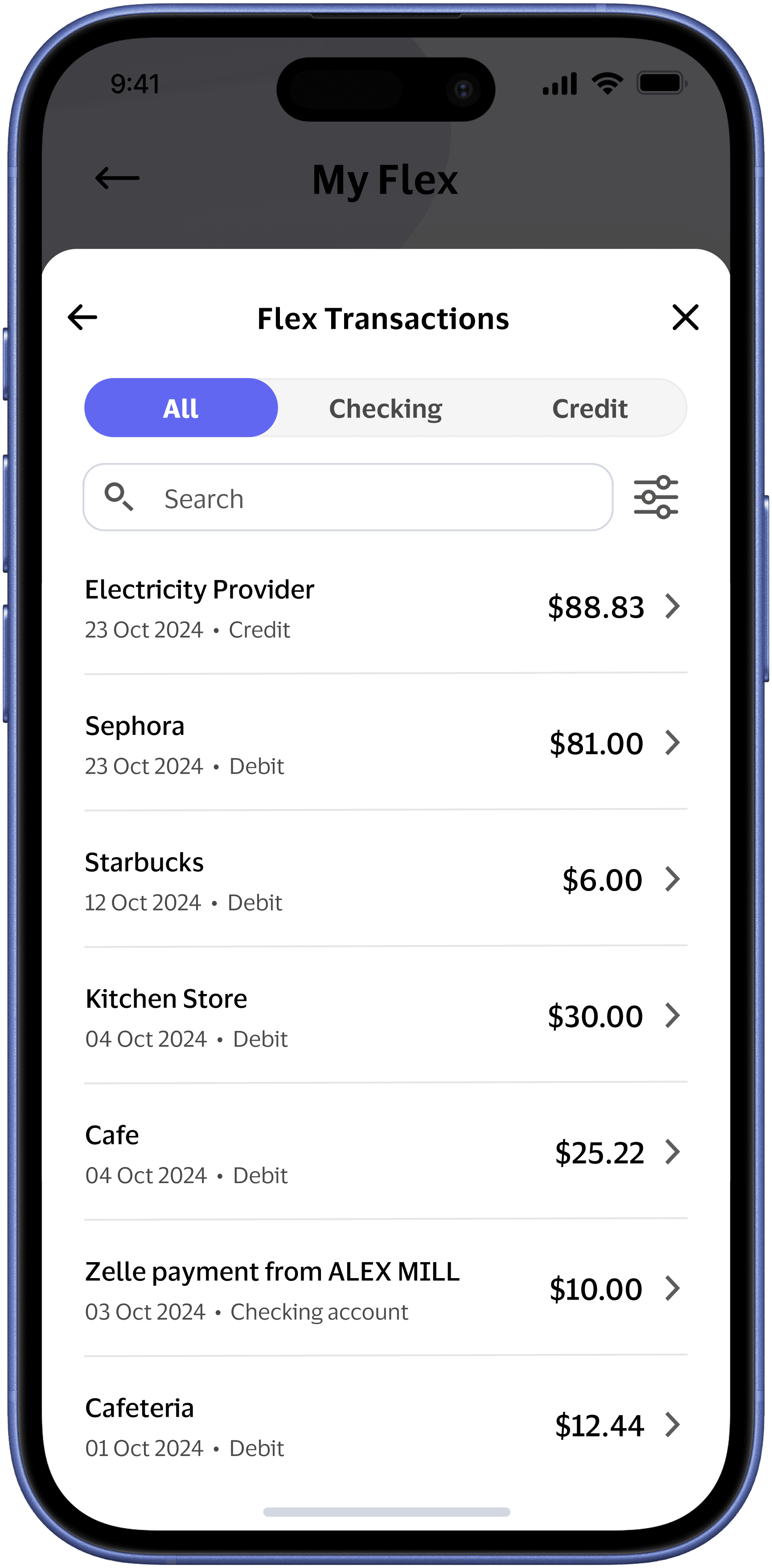
The design I proposed
US approach (most radical)
Validation - Regional Approaches Tested
US (Most Radical): Fully merged transactions in a single list to emphasize the "one card" concept and differentiate from traditional banking

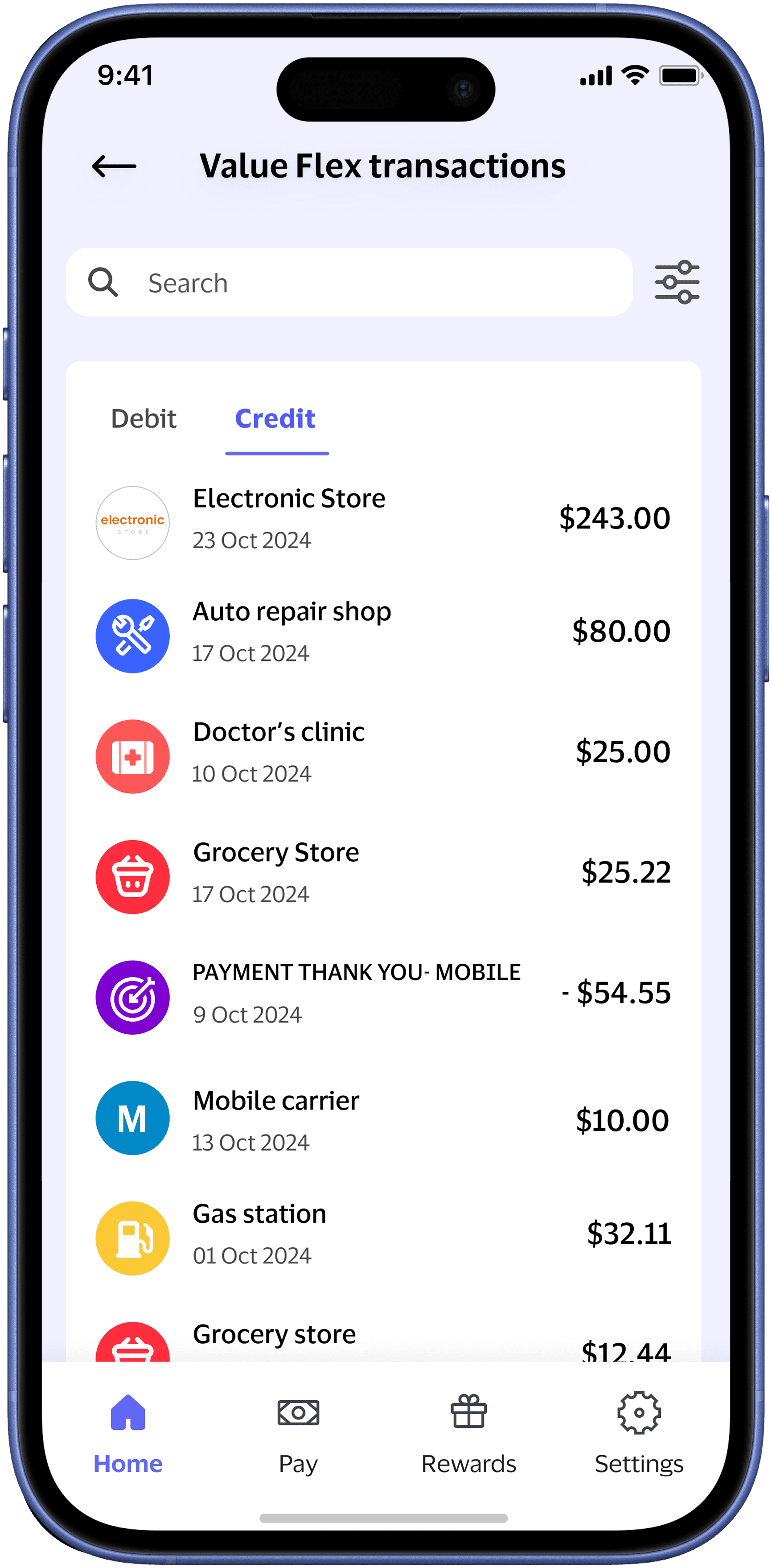
Japan (Moderate): One Flex card with side-by-side toggle-able views of debit and credit transactions, but never combined.

UK (Most Conservative): Completely separate accounts - doesn't even treat it as one card, just two separate credit/debit accounts

Results
Showing debit and credit transactions close together, but separate
Showing a spending summary, calling out remaining balance next to it
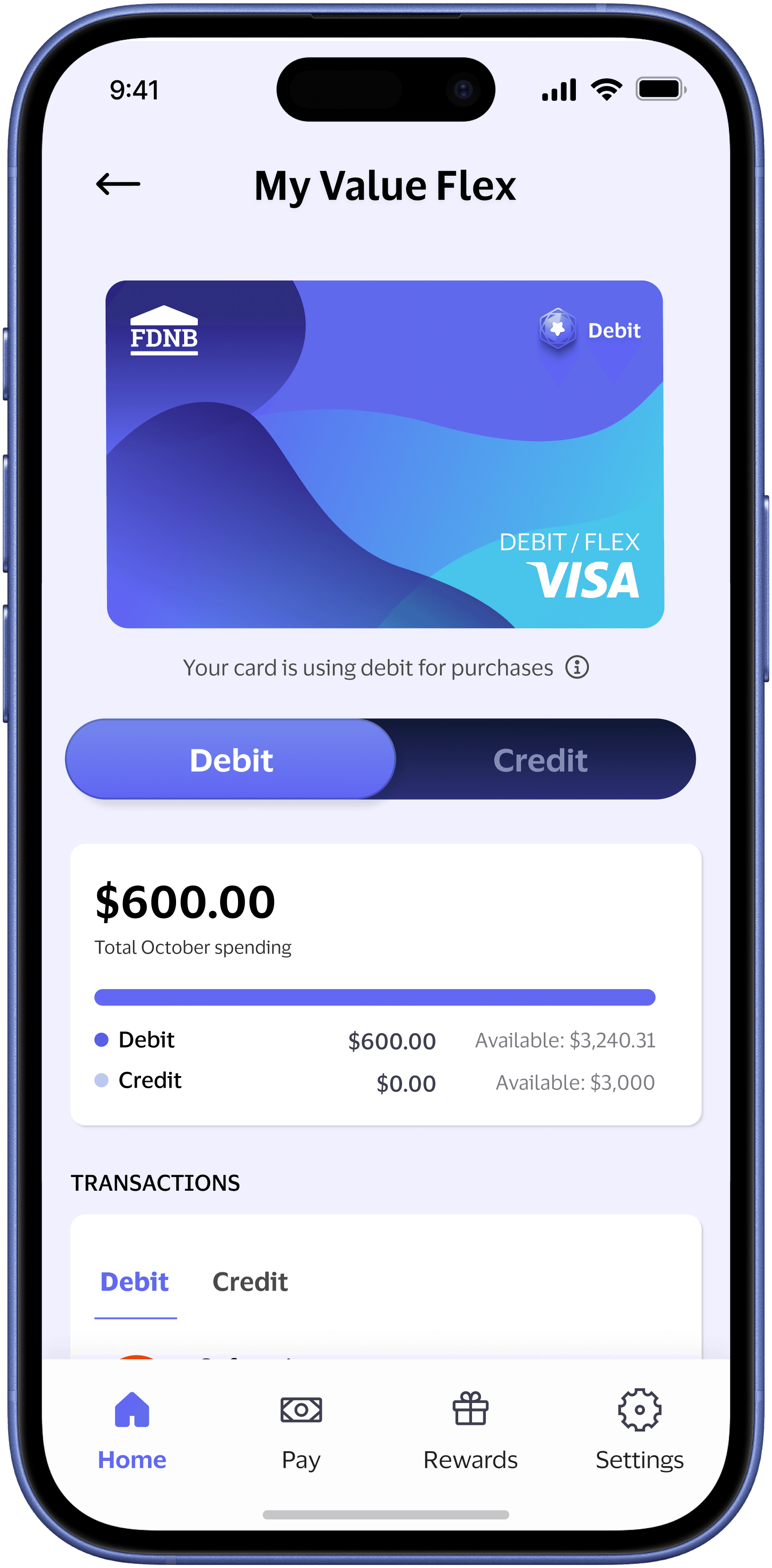
Design update to add context to help users decide between payment sources. Individual account access is on the banking home page, and the Flex home page provides a balance overview. Users can click into "see more" under transactions to see even more transactions